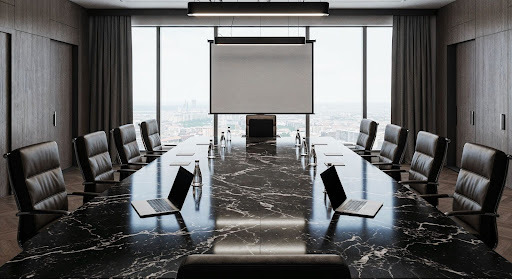
The conference room of 2026 looks nothing like it did five years ago. Walk into any major corporation’s boardroom today, and you will see multiple screens, high-quality cameras, and microphone systems all working together to connect people in the room with those joining remotely. This shift from all-in-person meetings to hybrid environments has fundamentally changed how companies think about audiovisual infrastructure.
The question executives face now is not whether hybrid meetings are here to stay, but how to build systems that actually work. When you have people sitting at a conference table while others join via video, the technical demands multiply. The camera needs to capture everyone fairly. The audio has to feel natural, not echo-y. The screens need to show content clearly while also displaying remote participants’ faces. These are not simple problems to solve.
Why Hybrid Meetings Have Become Standard
The shift to hybrid work is real, and it is permanent for most organizations. People want flexibility. They want to attend meetings from home on some days and from the office on others. Companies have realized that this flexibility actually helps with talent retention and work-life balance. The challenge is that technology has to make this seamless, and honestly, most meeting rooms are not built for it.
Before 2020, conference rooms were designed for in-person collaboration. The furniture was arranged for people sitting at a table. The technology was an afterthought, usually a projector and a speaker system bolted onto a wall. Those setups fail spectacularly in hybrid scenarios. Remote participants feel like they are watching a low-quality video call. In-room participants struggle to see and hear what is happening on the call. It is frustrating for everyone.
Today’s leading companies have realized that hybrid meeting spaces require thoughtful design from the ground up. This is not about just buying better equipment. It is about thinking through how people move through the space, where they sit, what they need to see, and how technology can facilitate genuine collaboration across distances.
The Real AV Challenges Hybrid Meetings Create
Let’s talk about what actually breaks in a hybrid meeting setup.
Audio Problems:
- Feedback loops and echo from competing microphones
- Uneven volume levels between in-room and remote participants
- Laptop speakers are interfering with the ceiling microphones
- People talking over each other becomes amplified
Camera Angle Issues:
- A single camera cannot capture everyone equally
- Side-seated participants get half their faces visible
- Back-of-room attendees barely captured
- Remote participants see awkward, flat perspectives
- In-room attendees feel like second-class citizens
Video Display Complications:
- Need for multiple screens (participants plus content)
- Lag between content sharing and display
- Presentations freeze or show late
- Bandwidth conflicts between video streams
- Screen placement affects room dynamics
The companies that are solving this problem are doing so because they have decided to invest in proper AV services Washington. They realized that a good hybrid meeting system is not a consumer-grade Zoom setup. It requires professional assessment, proper installation, ongoing maintenance, and sometimes upgrades as technology evolves.
What Washington Tech Leaders Are Actually Doing
Major organizations in the DC area, from federal agencies to private corporations, have made specific choices about their hybrid meeting infrastructure. These choices tend to follow a pattern:
- Hire professionals to assess what they need
- Invest in dedicated cameras and microphone systems for conference spaces
- Implement control systems that make technology simple to use
Government Agency Approach:
- Upgrade existing conference rooms within budget constraints
- Integrate with existing infrastructure
- Hire integrators who work within physical limitations
- Deliver high-quality results despite constraints
Corporate Technology Company Approach:
- Build dedicated hybrid meeting rooms from scratch
- Optimize lighting, camera placement, and acoustic treatment
- Install commercial-grade cameras with automatic zoom
- Add ceiling microphones for even audio pickup
- Deploy one-button activation control systems
The common thread across these implementations is that leaders hired professionals rather than trying to solve it themselves. They learned quickly that a good hybrid meeting system requires expertise. It requires people who know how to design spaces for video, who understand acoustics, and who can integrate various systems to work together seamlessly.
Building a Hybrid Meeting AV System That Works
If you are starting from scratch, here is what the architecture usually looks like.
Camera System Requirements:
- Professional PTZ camera (pan-tilt-zoom) that follows the speaker automatically
- USB or IP connection to the video conferencing platform
- Appropriate zoom capabilities for room size
- Multiple cameras in larger conference spaces
Audio Infrastructure:
- Ceiling microphone array for 360-degree coverage
- Quality speaker system distributed around the room
- Single, clean audio stream to remote participants
- Natural-sounding remote participant audio (not from one corner)
Display Systems:
- One screen for the remote participant faces
- One screen or projector for content sharing
- Appropriately sized for room dimensions
- Positioned to keep attention balanced
Control System Options:
- Touch panel for room control
- Mobile app activation
- Voice-activated buttons
- One to two-touch meeting launch
- Simple enough that people use it correctly
For displays, you typically need two systems. One screen for remote participants so the in-room attendees see their faces. One screen or projector for content. These screens should be sized appropriately for the room. A small screen in a large conference room defeats the purpose.
The Technology Stack Making It Happen
The Audio Visual Services that top Washington companies are using typically include products and systems from enterprise vendors. These are not consumer brands.
Control & Integration Systems:
- Crestron, Extron, Q-SYS, Biamp platforms
- Meeting room software with video conferencing
- Room booking integration
- Equipment activation automation
Camera Technology:
- Vaddio professional meeting cameras
- Cisco conferencing solutions
- Pan-tilt-zoom capabilities
- Automatic speaker tracking
Audio Equipment:
- Shure microphone systems
- Sennheiser conferencing solutions
- Professional-grade ceiling arrays
- Distributed speaker systems
Video & Signal Processing:
- Specialized switching equipment
- Signal processing for video and audio
- Lag-free content sharing
- Bandwidth optimization
Organizations are using meeting room software that integrates video conferencing with room booking and equipment activation. The cameras are from companies like Vaddio or Cisco. The microphone systems are from Shure or Sennheiser. The processing and switching of video and audio signals happen through specialized equipment designed for commercial installations.
The whole system is engineered so that every component communicates with every other component without conflicts. This is where professional integrators become essential.
What Professional Integrators Provide:
- Know which component combinations work together
- Proper system configuration and setup
- Correct firmware version installation
- Effective troubleshooting when issues arise
- Long-term system optimization
- Ongoing support and maintenance
- Expertise in space design for video conferencing
Choosing individual components is one thing. Making them all work together flawlessly is another. An integrator knows which combinations work, how to configure them, what firmware versions to load, and how to troubleshoot when something does not cooperate.
Why This Matters for Your Organization
Hybrid meetings are not going away. If you want your organization to feel modern and professional to clients and employees, your meeting spaces need to reflect that.
Impact of Poor vs. Good Hybrid Meeting Systems:
- Broken systems damage your credibility
- Smooth systems make everyone happier
- Professional AV increases productivity
- Remote employees feel included and valued
The investment in proper hybrid meeting infrastructure is not as expensive as many companies think. Compared to the cost of paying salaries to people sitting in broken meeting rooms, it is quite reasonable. And once it is installed, it lasts for several years without major replacement.
FAQ
What is the average cost to set up a hybrid meeting room?
A professional hybrid meeting room can range from fifteen thousand to fifty thousand dollars, depending on room size and requirements. Smaller spaces can be done more affordably. Larger spaces with multiple cameras and complex integration cost more.
Do we need a professional integrator, or can we buy equipment ourselves?
You can certainly buy equipment yourself, but integrators bring value through system design, proper installation, compatibility verification, and ongoing support. Most organizations find that professional integration saves them money in the long run because fewer things break.
How often do hybrid meeting systems need maintenance?
A properly installed system should need minimal maintenance beyond regular software updates and occasional cleaning of camera lenses. Most organizations schedule annual service checks to ensure everything is working optimally. Professional vendors typically offer maintenance contracts.